



Download Chax – iChat Enhancer, Free Plug‑in, macOS Chat Tool
Overview
Chax is a free, open‑source plug‑in that revitalises Apple’s native iChat by adding a suite of hidden features and modern conveniences. While iChat already offers solid support for AIM, Jabber, Bonjour and other protocols, many users find its UI a little sparse and its notifications limited. Chax fills those gaps without requiring you to abandon the familiar iChat interface.
The plug‑in injects a unified contact list, Growl notifications for incoming messages and status changes, an activity log that records every presence shift, and a host of visual tweaks such as “always‑on‑top” chat windows and dock‑icon alerts. Recent updates have also solved the long‑standing issue of separate chat panes per protocol, merging all conversations into a single, scrollable view. If you love iChat’s core design but crave a more dynamic, productivity‑focused experience, Chax is the perfect companion.
It is lightweight, secure, and works seamlessly with the latest macOS releases, making it an essential upgrade for both casual messengers and power users who rely on instant communication throughout the day.
Key Features & Benefits
- Unified Contact Pane: All protocols (AIM, Jabber, Bonjour, etc.) appear in a single, sortable list, eliminating the need to juggle multiple windows.
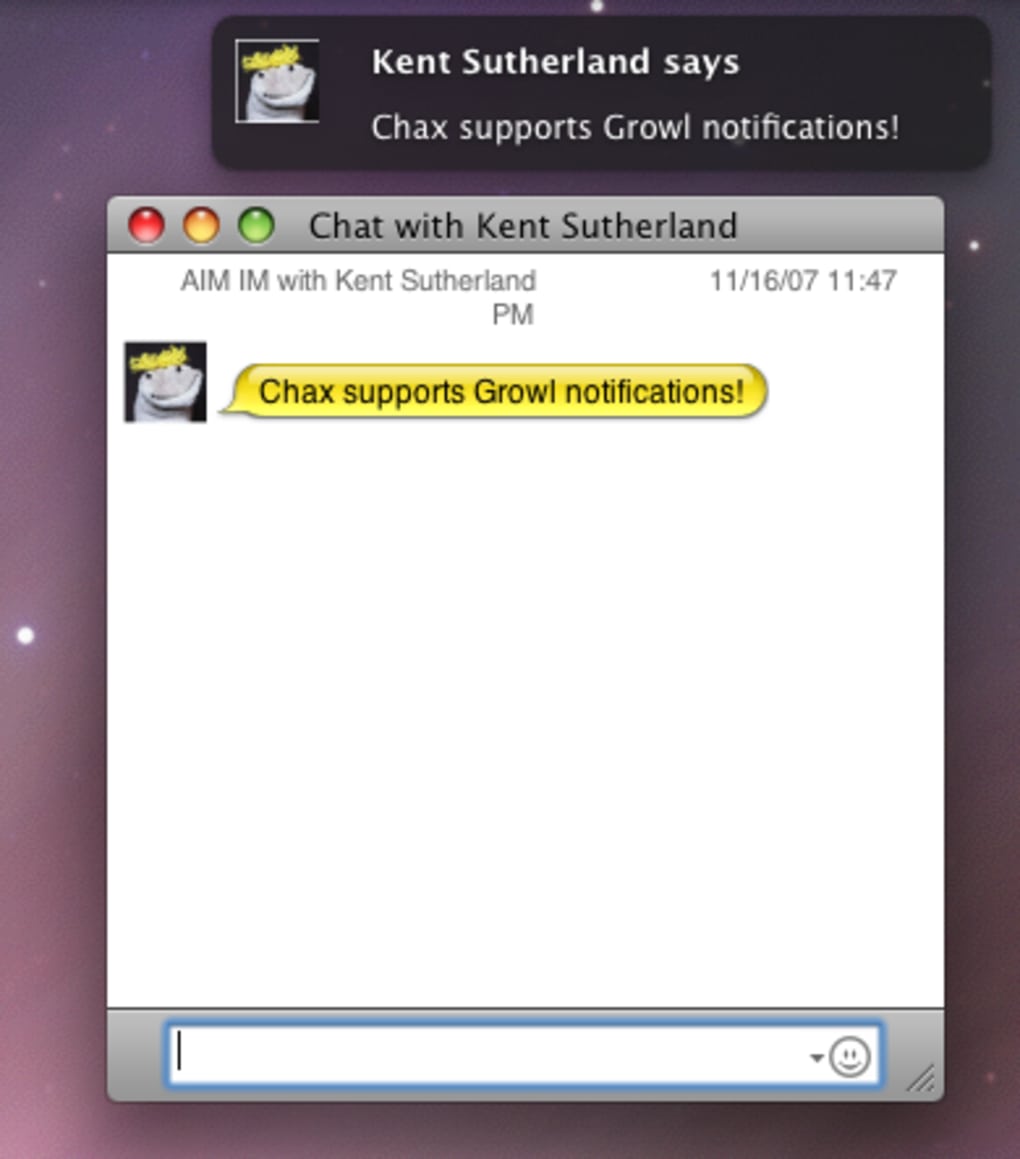
- Growl & Dock Notifications: Real‑time alerts for new messages, status updates, and incoming file transfers, with customizable sounds and visual cues.
- Activity Log: A persistent log that records contacts’ online/offline transitions, helping you track availability without constantly checking the roster.
- Always‑On‑Top Chats: Keep your most important conversation windows in front of other applications, ideal for multitasking during meetings.
- Customizable Status Messages: Pre‑set status shortcuts and auto‑updates based on calendar events or location.
- Dock Icon Badges: Instant unread‑message counts displayed directly on the iChat dock icon.
- Crash‑Resistant Groups: Recent patch resolves a serious crash when using group chats, ensuring stable performance even with large participant lists.
- Free & Open Source: No hidden fees, with source code available for community contributions and transparency.
Beyond the listed features, Chax subtly improves iChat’s responsiveness by optimizing background processes and reducing UI lag. Users report smoother window animations and quicker message delivery after installing the plug‑in. Because Chax works as an overlay rather than a full replacement, you retain iChat’s native security model, meaning Apple’s built‑in encryption and sandboxing remain intact. This blend of added functionality and preserved security makes Chax a trustworthy tool for professionals handling sensitive communications.
Installation, Setup & Compatibility
Step‑by‑Step Installation
- Download the latest Chax package from the official GitHub releases page.
- Open the .dmg file and drag the
Chax.bundleinto the/Library/Internet Plug‑Ins/folder (for a system‑wide install) or~/Library/Internet Plug‑Ins/(for a single‑user install). - Restart iChat. You will see a new “Chax” menu item in the menu bar, confirming the plug‑in has loaded.
- Open the Chax preferences pane (iChat → Preferences → Plug‑Ins → Chax) to configure notifications, unified contacts, and other options.
- Optionally enable Growl support by installing the free Growl framework if you prefer external alerts.
The installer does not require administrative privileges when placed in the user’s Library folder, making it ideal for corporate environments with restricted admin rights. Updates are delivered as simple zip archives; replace the existing Chax.bundle with the newer version and relaunch iChat.
Compatibility
Chax is designed for macOS 10.10 (Yosemite) and later, including the latest Ventura and Sonoma releases. It works with both Intel‑based Macs and Apple Silicon (M1/M2) thanks to the universal binary packaging. iChat itself is deprecated on macOS 12+ in favor of Messages, but Chax continues to function with the legacy iChat app when it is installed via Homebrew or direct download. The plug‑in does not interfere with other chat clients such as Adium or Microsoft Teams, allowing you to run multiple messengers side‑by‑side.
Conclusion: Pros, Cons, FAQ & Call‑to‑Action
Pros & Cons
- Pros:
- Free and open source – no hidden costs.
- Unified contact list simplifies multi‑protocol chats.
- Rich notification system (Growl, dock badges).
- Lightweight – does not bloat iChat’s memory footprint.
- Stable after recent crash‑fix for group chats.
- Cons:
- iChat is no longer actively maintained by Apple, limiting long‑term support.
- Some advanced UI customisations (e.g., tabbed chats) are still missing compared to Adium.
- Requires manual updates – no automatic update mechanism.
Frequently Asked Questions
Is Chax safe to use with corporate accounts?
Yes. Chax runs as an Apple‑approved plug‑in and does not modify iChat’s encryption or authentication mechanisms. It only adds UI enhancements and local notifications, keeping your communications secure.
Can I use Chax with multiple user accounts on the same Mac?
Absolutely. Install Chax in each user’s ~/Library/Internet Plug‑Ins/ folder, and the plug‑in will be loaded only for that account, preserving individual preferences.
Do I need Growl for notifications?
Growl is optional. Chax can deliver native macOS banner alerts and dock badge counts without any third‑party software.
Will Chax work on Apple Silicon Macs?
Yes. The plug‑in is compiled as a universal binary, running natively on both Intel and Apple Silicon processors.
How do I report a bug or request a new feature?
Visit the Chax GitHub repository, open an issue, and provide details about your macOS version, iChat configuration, and the observed behavior. The community actively reviews and addresses submissions.
Final Thoughts & Call‑to‑Action
If you enjoy iChat’s classic design but feel it’s missing modern conveniences, Chax is the upgrade you’ve been waiting for. Its free price tag, lightweight footprint, and robust feature set make it a compelling add‑on for students, remote workers, and anyone who relies on instant messaging throughout the day. Download Chax today, follow the simple installation steps, and instantly transform your chat experience. Stay productive, stay connected, and let Chax handle the little annoyances so you can focus on the conversation that matters.







